
Supplier qualification,
handled before it reaches your desk.
Questionnaires you can change by describing the change. Suppliers who respond in their own language. Certificates read on arrival, public records screened continuously, and a qualification score that shows its working. What reaches you is a decision, not an inbox.
How supplier onboarding usually goes, and how it goes here
Nobody sets out to run onboarding badly. It goes wrong because it is repetitive, and repetition is what people quietly stop doing when the week gets busy.
You become the reminder service
The questionnaire goes out and then somebody has to remember it went out. A supplier stops halfway and stays stopped until a person notices and writes an email.

The follow-up runs itself
A supplier who stalls gets reminded without anybody noticing they stalled. You see that they resumed rather than wondering whether they will.
A project nobody wants
Adding an insurance section means rebuilding the form, re-checking the logic and hoping nothing downstream broke. So the questionnaire stays as it is, asking what was convenient two years ago.
A sentence and a review
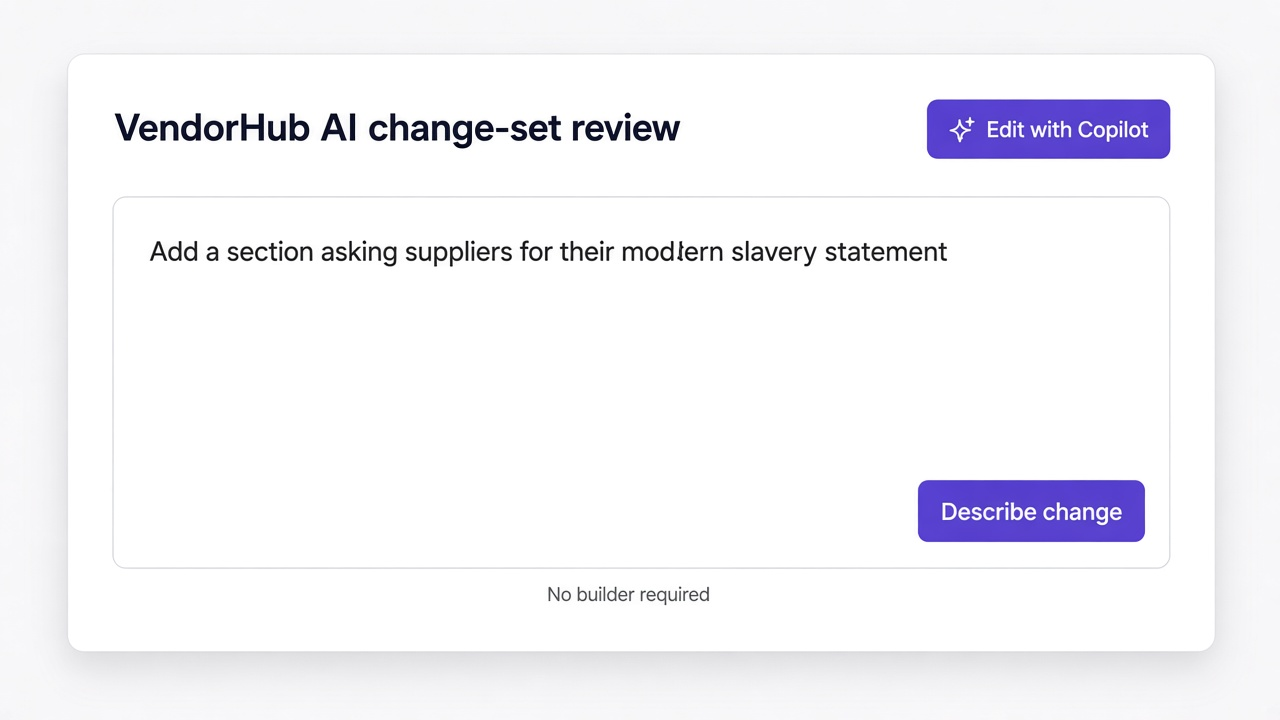
Describe the change and VendorHub AI returns exactly what it would add, update and remove. You accept it or you do not, and everything stays editable by hand.
A form in a language they half read
Long questionnaires in English are where onboarding quietly dies. The suppliers you most want to qualify are often the ones least able to finish the paperwork.
Their language, their voice
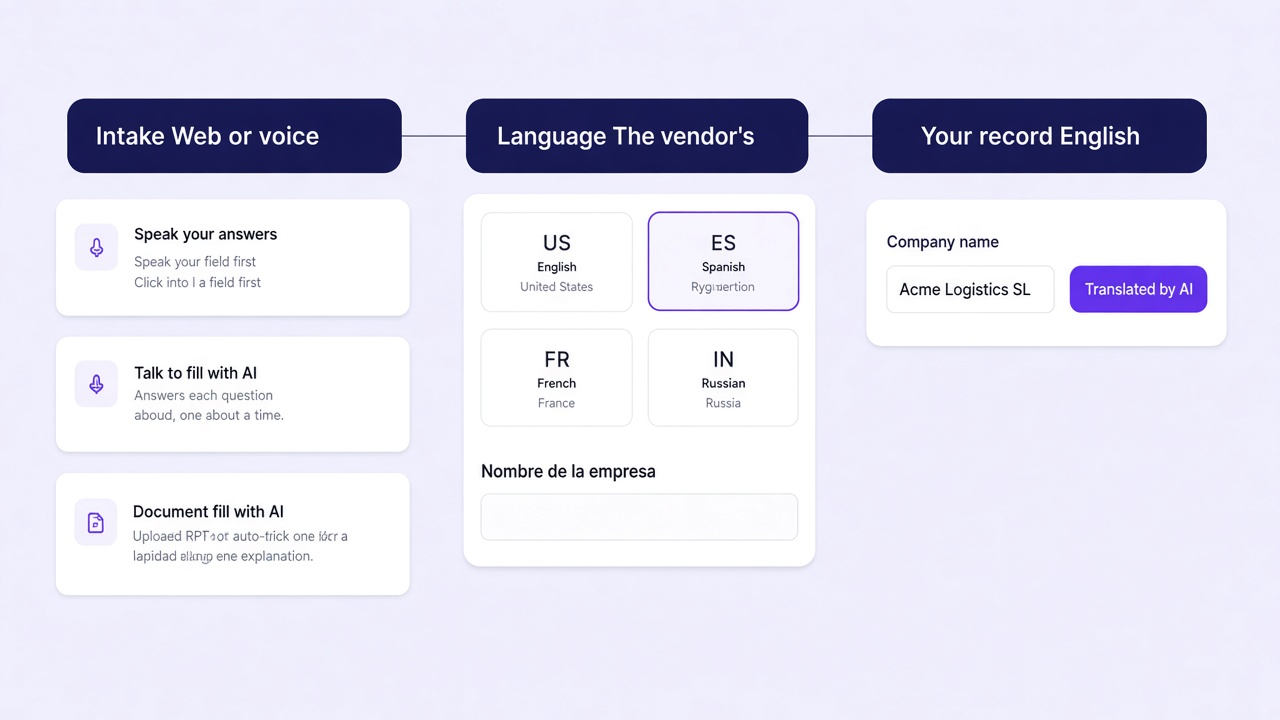
The questionnaire runs in the language they actually use, and they can answer by speaking. Your record still arrives in English.
A rating you cannot take apart
A number arrives with no way to see what produced it, so nobody quite believes it and everybody checks the underlying documents anyway.
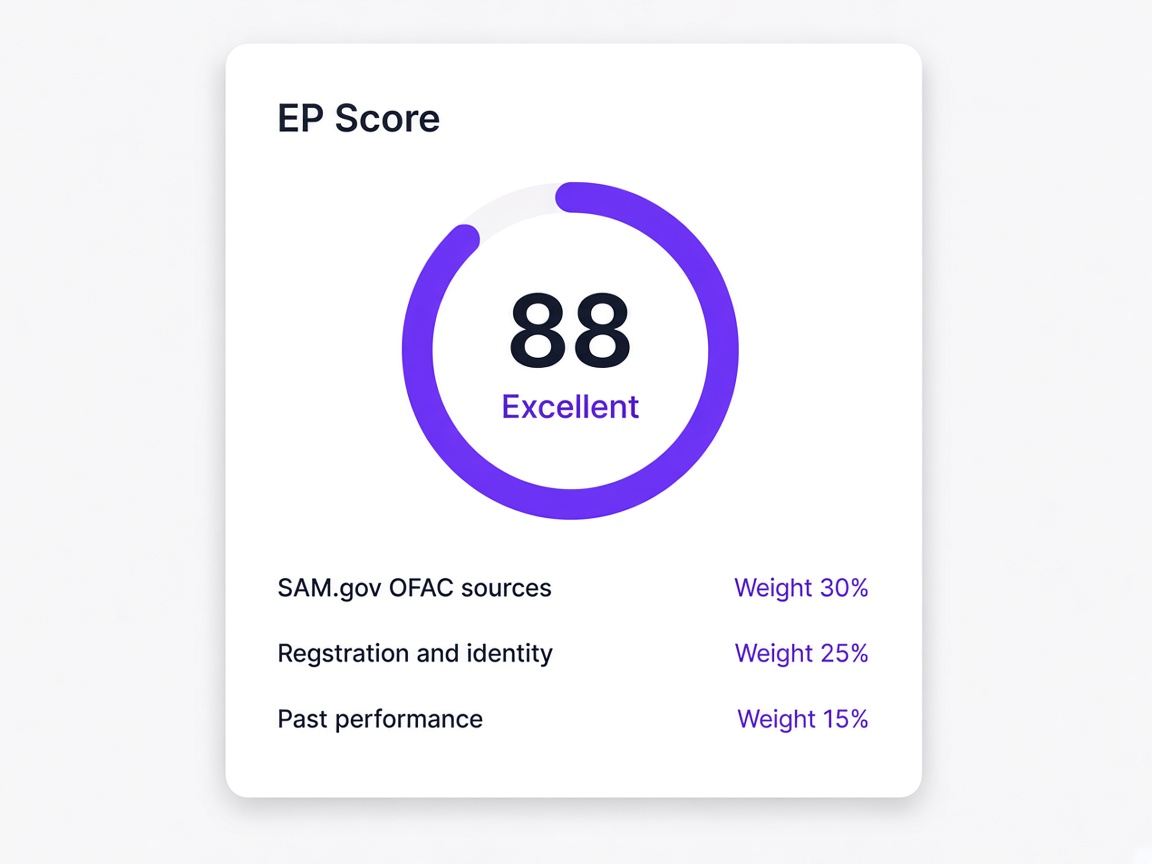
A score that opens up
Every category shows the public records behind it and the weight it carries. A finding is shown against your own supplier details so you can judge it.
Pick a part and see what it does
Every area has its own page. This is the short version of each.
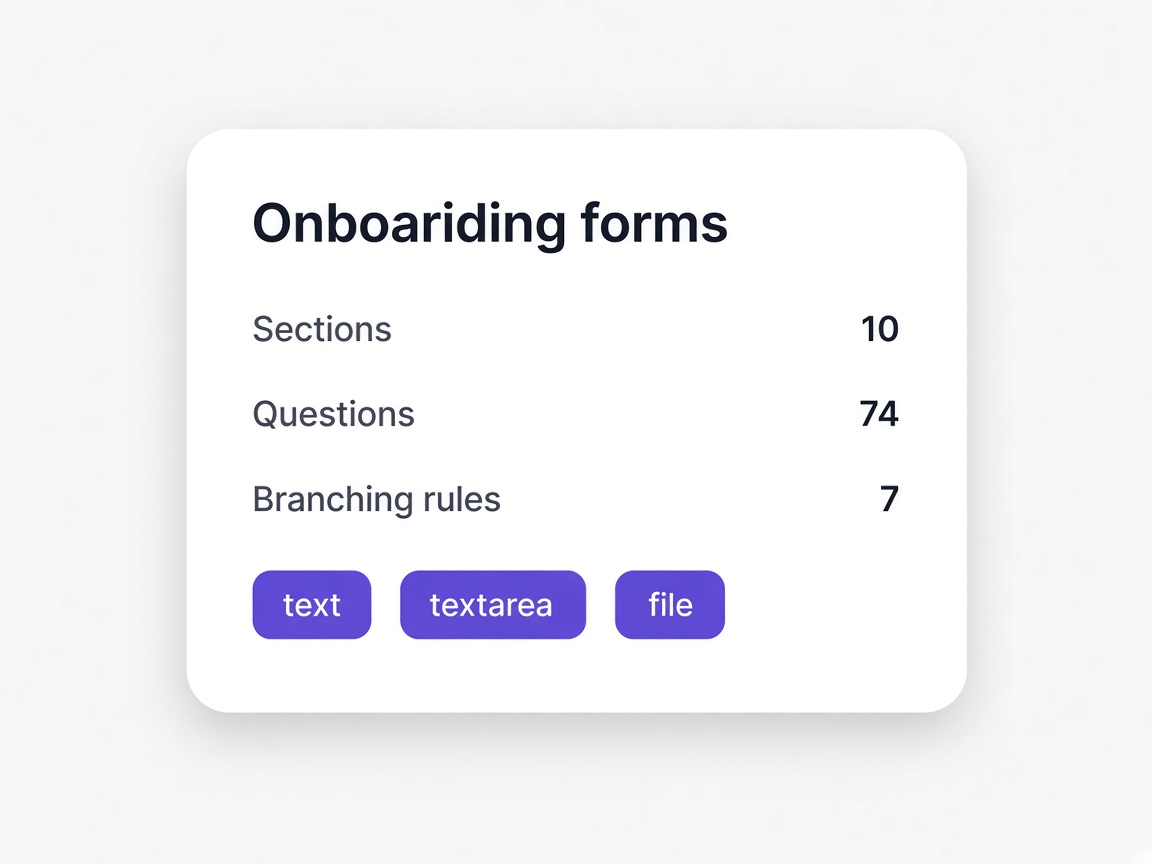
Questionnaires built per vendor type
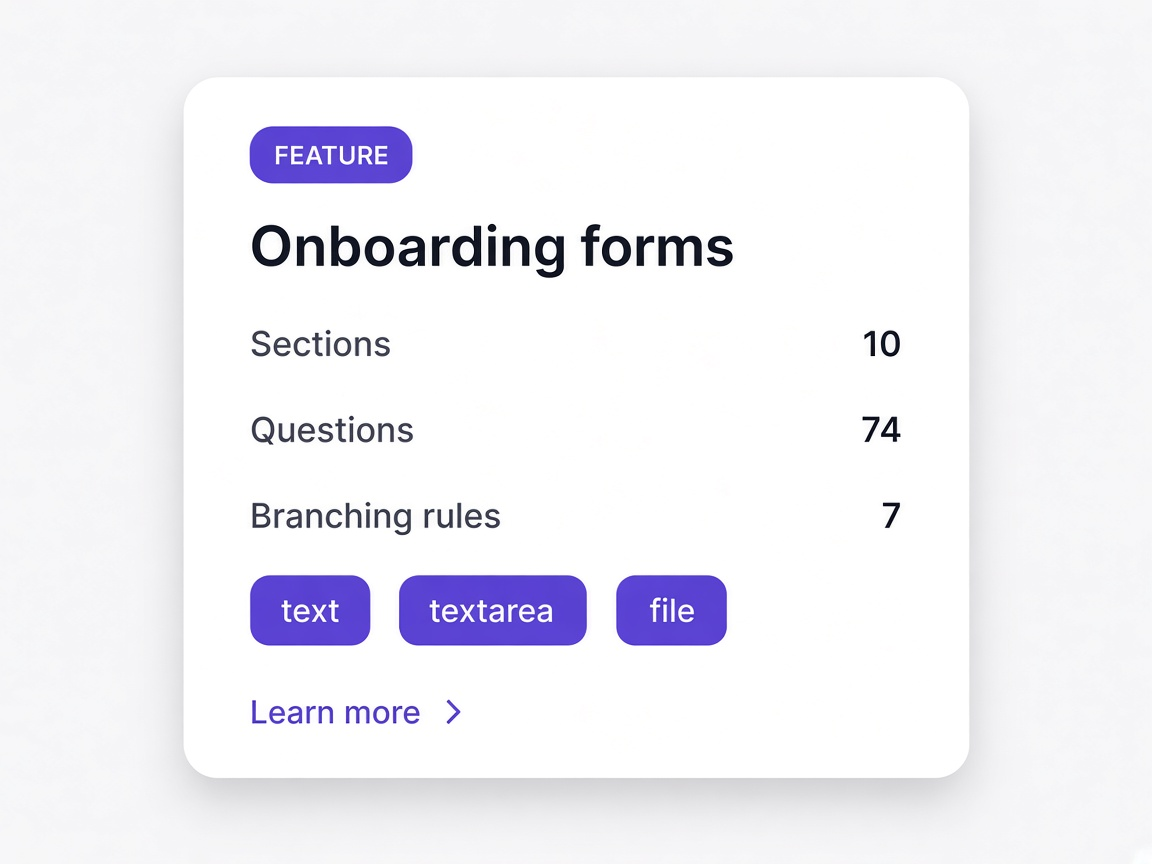
Sections, branching rules and document uploads. Start from a template, build from scratch, or describe what you need. Read more about onboarding forms
- Federal, commercial, services, document-heavy and quick setup templates
- Branching rules so vendors only see questions that apply to them
- A live flow map showing how the form actually behaves
Change a form by describing the change
Ask for what you need in a sentence. You get a reviewable change set rather than a form that silently rewrote itself. Read more about vendorhub ai
- Add sections, questions or branching rules from one prompt
- A change summary listing every addition and removal before it applies
- Everything stays editable by hand afterwards
Every vendor, with their current standing
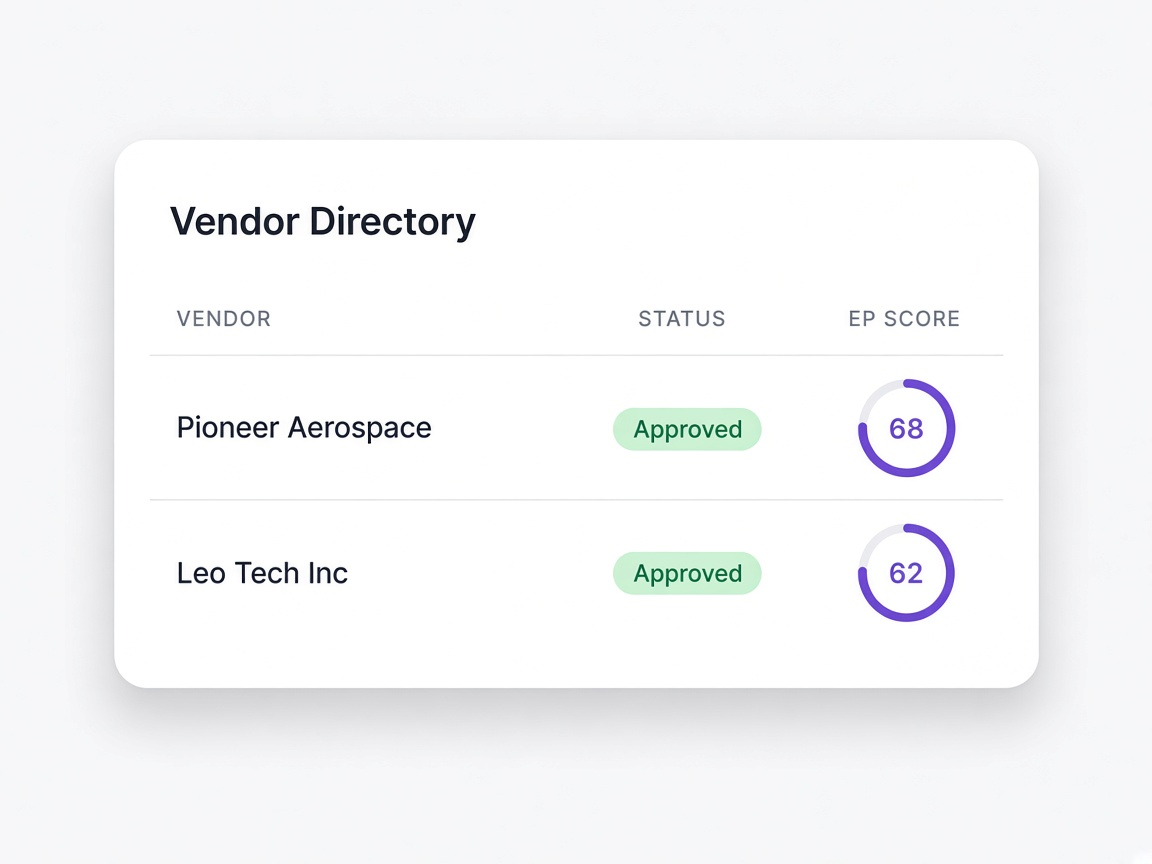
Category, status, EP Score and validity date in one list, and a full record behind each one. Read more about vendor directory
- Filter by status, preference or score band
- Each vendor opens to responses, documents, score breakdown and timeline
- Validity dates visible before they matter
A rating that shows its sources
Built from verified public government and business records plus the quality of the submission, with a weight on every category. Read more about ep score
- Each category opens to the exact sources behind it
- Weights shown rather than hidden inside a formula
- Refreshes when public records change or the vendor updates their answers
Vendors answer in their own language
The onboarding form runs in the vendor's language, by typing or by speaking, while your record stays in English. Read more about voice and language
- Voice intake for suppliers who would abandon a written form
- Answers arrive in English regardless of how they were given
- Progress visible page by page as they work through it
Read and filed as they arrive
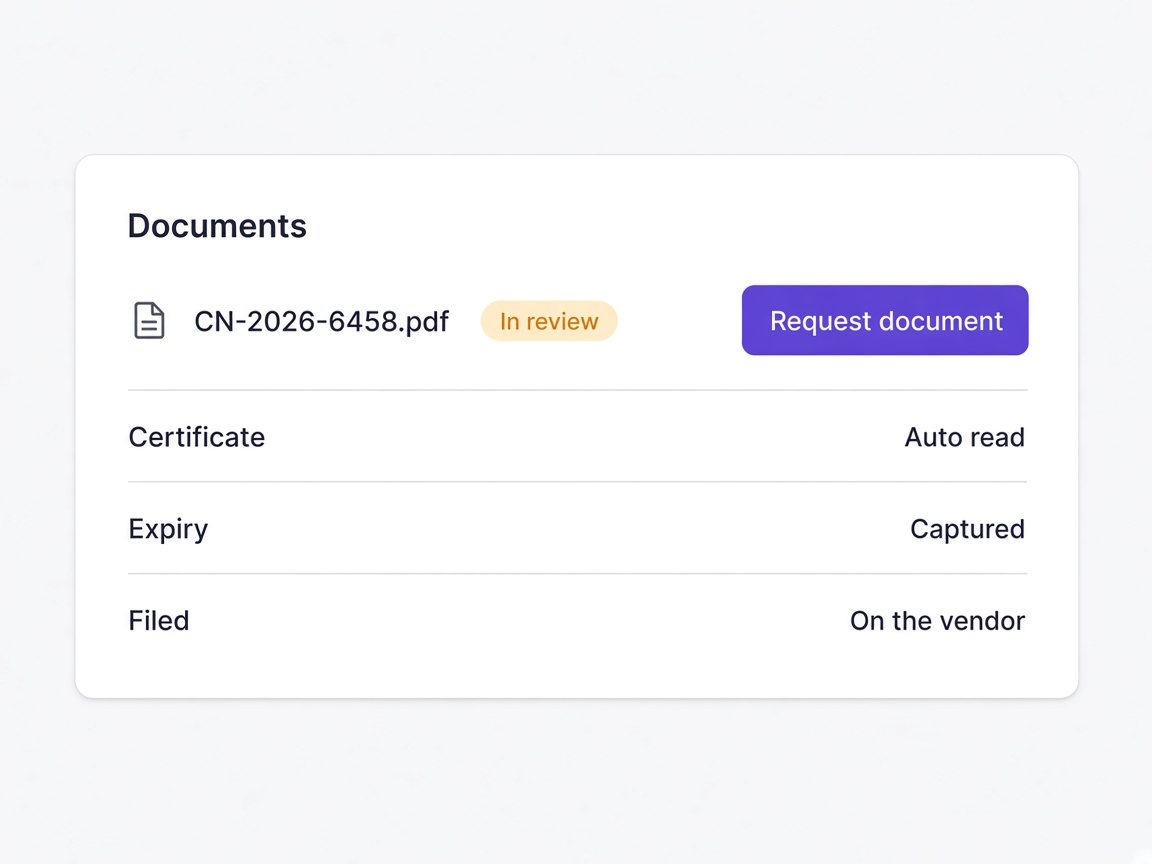
Certificates, tax forms and licences are read on upload, their expiry captured, and filed against the vendor. Read more about document collection
- Documents read rather than opened and retyped
- Expiry captured at upload, which is what makes renewals possible
- Filed on the vendor record instead of a shared drive
Checked, and then checked again
Exclusion, debarment, sanctions and watchlist screening that runs on a cycle rather than once at onboarding. Read more about screening and watchlists
- Re-screened continuously, so a later listing is still caught
- Possible matches shown against your own vendor details
- A false positive dismissed in one click, with the decision recorded
Bring your list in, take the directory out
Import from CSV, Excel, PDF, Word or an image, with field mapping and duplicate detection. Export with scores attached. Read more about import and export
- Field mapping handles column names that do not line up
- Vendors you already hold are detected and skipped
- Exports carry EP Scores, categories and document links
Access follows the role, not the person
Invite colleagues by email, give them a role, and keep approval a decision a person makes. Read more about team and roles
- Roles rather than permissions granted one at a time
- Access moves correctly when somebody changes job
- Every action attributed to a named person
The order matters more than the parts
What you ask determines what gets collected, what documents arrive, and what the EP Score has to work with. That is why the form is the first thing rather than an afterthought.
- Branching rules mean vendors only see questions that apply to them
- Document uploads are part of the form rather than a follow-up email
- Change the form and the next invitation carries the change
- Templates exist per vendor type, so a subcontractor and a software supplier differ
Once a vendor is in motion, the work continues overnight. Documents are read, expiry dates captured, records re-screened and scores refreshed before anyone opens the workspace.
- Certificates read and filed at upload rather than opened later
- Screening on a cycle rather than a one time check at onboarding
- Scores refreshed when public records change
- Stalled vendors chased without anybody keeping a list
The workspace gathers, reads, checks and summarises. It does not approve. A possible match is shown with both records side by side, and you decide what it means.
- Findings presented with the evidence rather than a verdict
- A false positive dismissed in one click, and the score recomputes
- Every approval attributed to a named person
- Nothing happens that you cannot see or reverse
Moments a procurement team will recognise
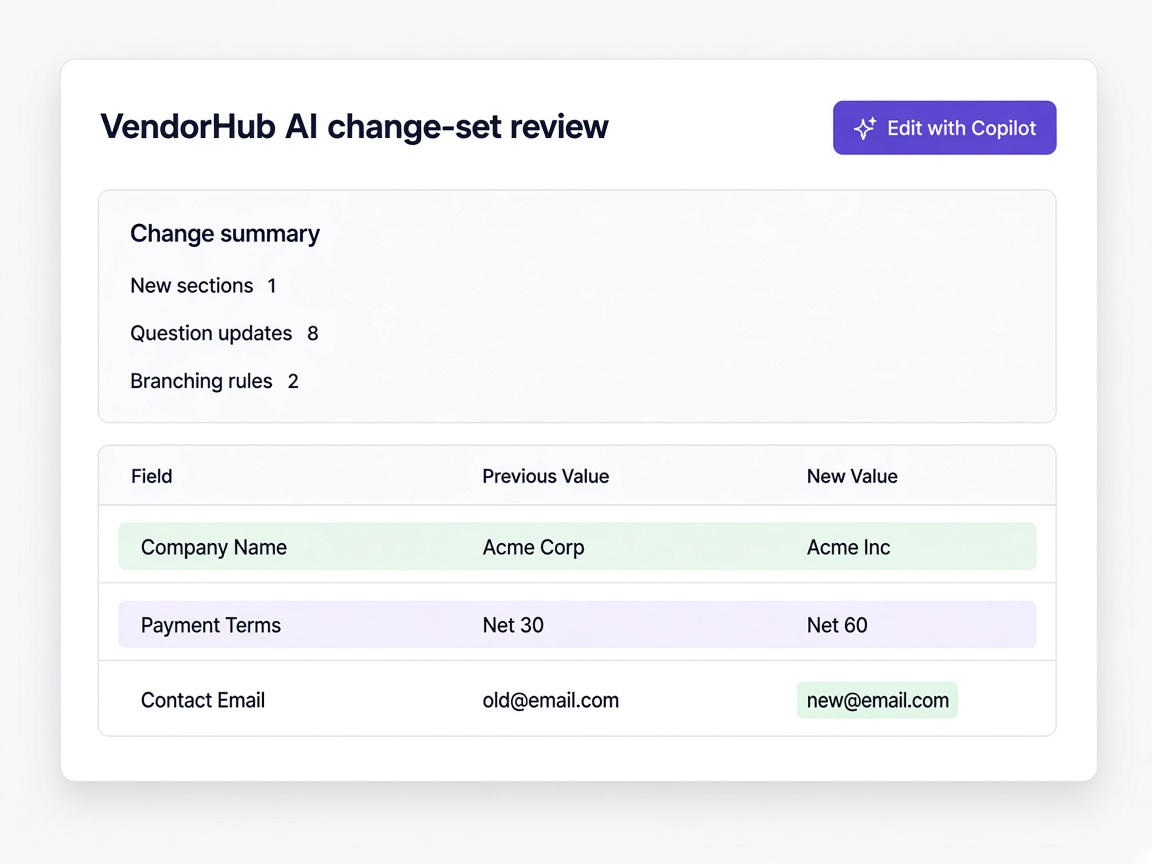
A form needs a new section
Describe it, review the change set, apply it. The next invitation goes out with it.
Learn more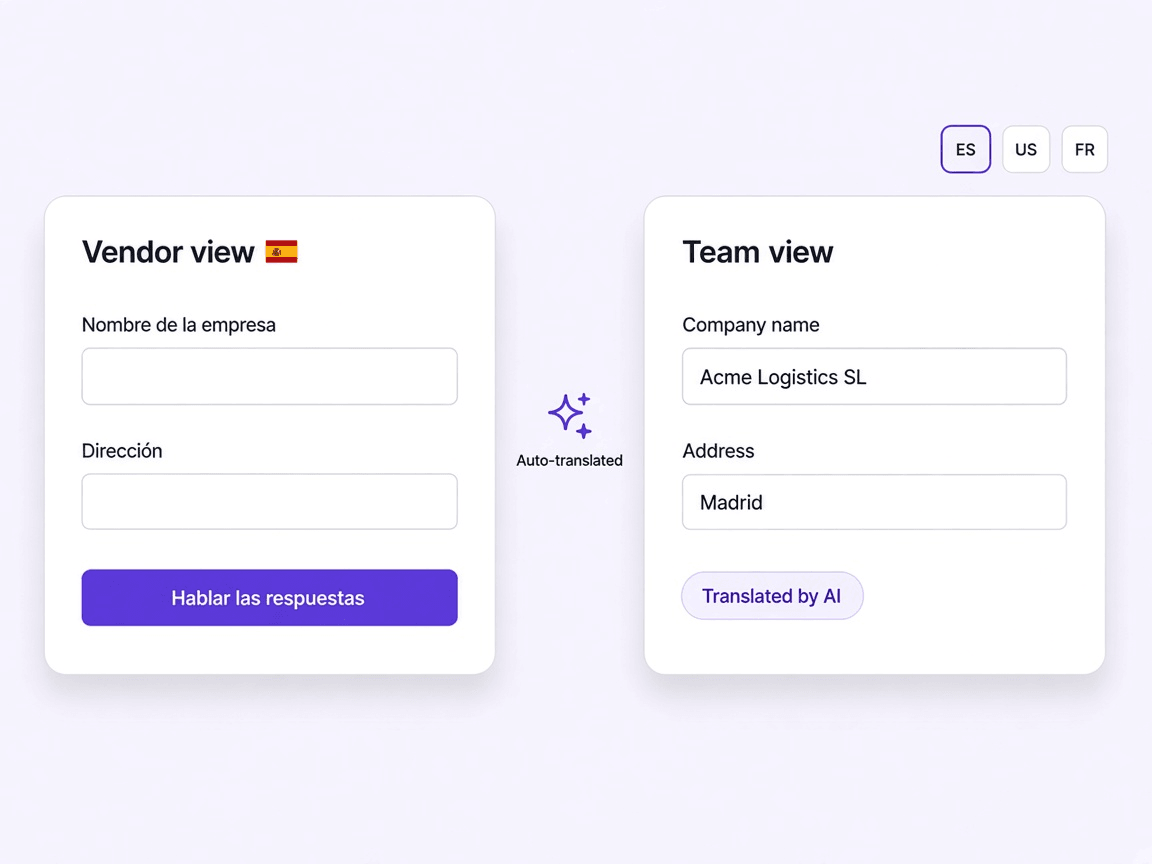
A supplier does not read English
They complete the same form by speaking in their own language while your record stays in English.
Learn more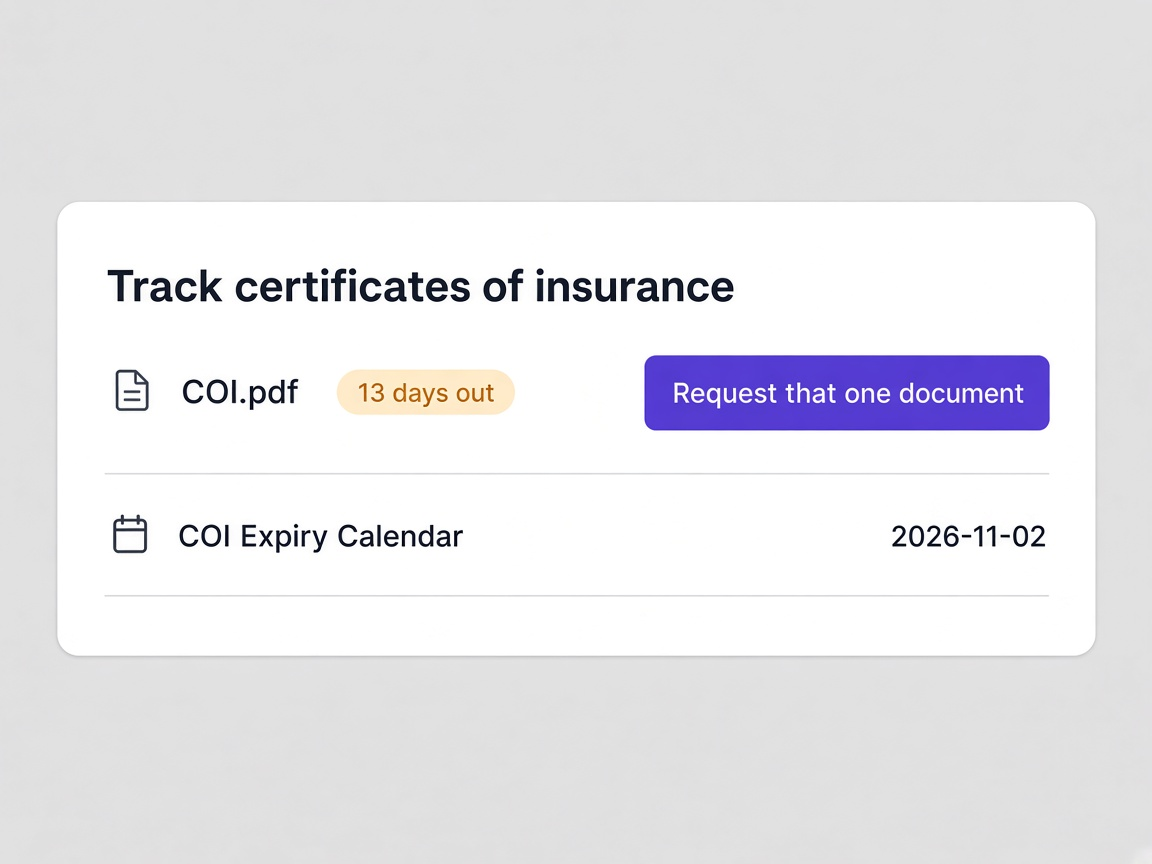
A certificate arrives at midnight
Read, expiry captured and filed against the vendor before anybody opens the workspace.
Learn more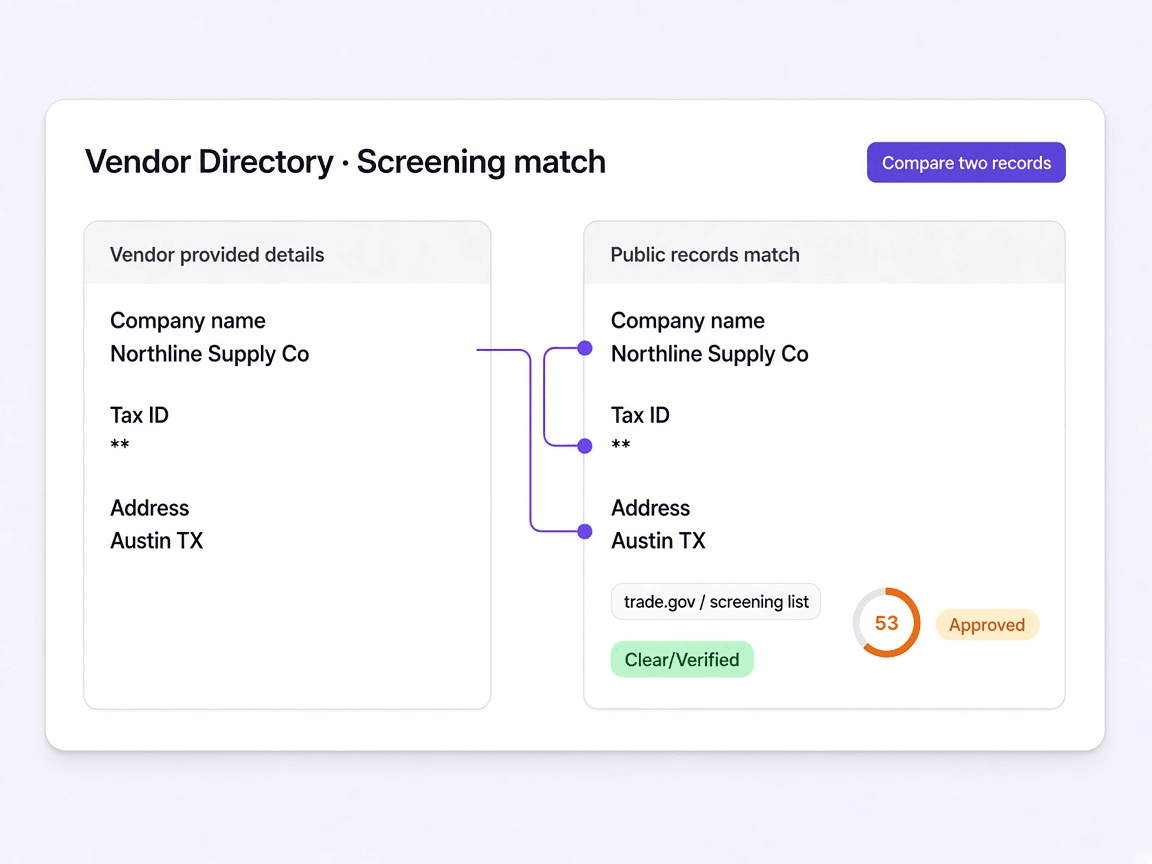
A screening hit turns up
Shown against your own vendor details, so a false positive takes one click rather than a week.
Learn more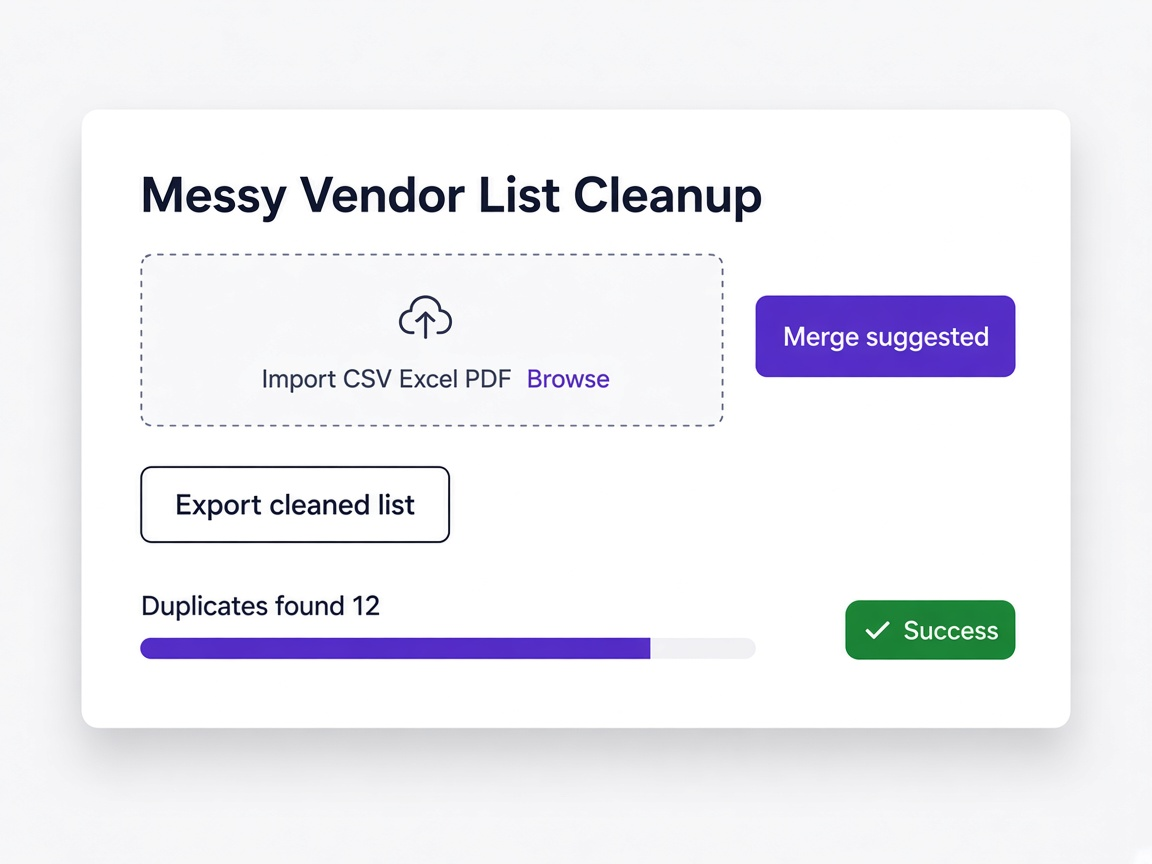
You inherit a messy vendor list
Imported from CSV, Excel, PDF or Word with duplicate detection, so the directory starts clean.
Learn moreA validity date approaches
Visible in the directory well before it lapses, with one document requested rather than the whole form.
Learn more